Content Calendar Template: Stop the Last-Minute Content Scramble
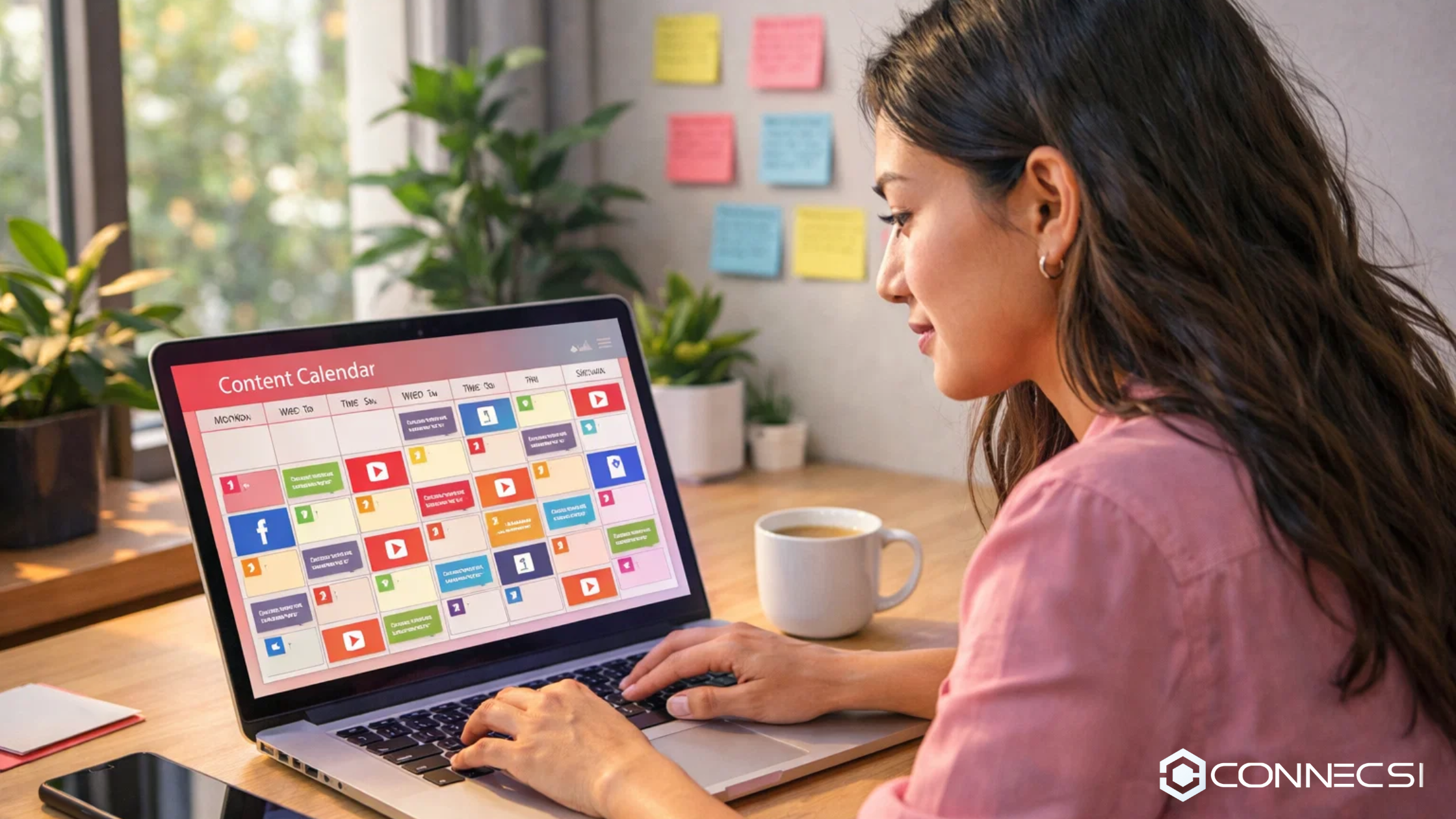
A content calendar template is the difference between chaotic last-minute posting and strategic content that actually moves your business forward. Brands using content calendars report 64% higher success rates in their content marketing compared to those flying blind, and teams save an average of 6-8 hours per week on planning alone. Without a structured calendar, you're constantly scrambling for ideas, missing important dates, duplicating content, and frustrating your team with unclear responsibilities.
Whether you're managing social media for a small business, coordinating influencer campaigns, or running a full content marketing operation, a well-designed content calendar template transforms workflow chaos into predictable, high-performing content production. This guide provides a downloadable template you can customize immediately, explains exactly how to structure your calendar for maximum efficiency, and shows how modern platforms like Connecsi integrate calendar planning directly into campaign management workflows.
When customizing your content calendar template, create separate tab views for different timeframes: a master annual view showing major campaigns and seasonal themes, a monthly detailed view with specific post dates and deadlines, and a weekly execution view with hour-by-hour posting schedules across platforms. This three-tier content calendar template structure lets executives see strategy at a glance while execution teams work from granular daily assignments. Most teams try cramming everything into one view and end up with an unusable mess.
Get Your Content Calendar Template
Pre-formatted Excel spreadsheet with annual, monthly, and weekly planning views. Includes platform columns for Instagram, TikTok, YouTube, LinkedIn, status tracking, and built-in formulas for posting frequency analysis. Save 6-8 hours weekly on content planning.
We respect your privacy. No spam, ever.
Why Content Calendars Eliminate the Scramble
The content scramble happens when teams operate reactively instead of strategically. Someone realizes it's Monday morning and nothing's scheduled for the week. A campaign launch date arrives and the supporting content isn't ready. An influencer partnership goes live but the brand's own channels are silent. A trending topic emerges and nobody has bandwidth to capitalize because they're buried in tactical execution.
Content calendars solve this by creating visibility weeks and months in advance. According to Sprout Social's research, 64% of the most successful companies maintain documented content strategies including calendars, while struggling brands operate without structured planning. The calendar becomes your single source of truth for what's publishing when, who's responsible, what assets are needed, and how individual posts connect to larger campaigns.
Three specific problems content calendars eliminate: deadline confusion (everyone knows exactly when drafts are due and when content goes live), resource bottlenecks (designers know weeks in advance what visuals are needed instead of getting surprise requests), and strategic drift (every piece of content clearly connects to campaign objectives and brand priorities). Teams using calendars report 30% faster content production and 50% fewer missed deadlines compared to teams planning week-to-week.
Essential Components Every Content Calendar Must Include
Publishing Schedule and Platform Assignments
The foundation of any content calendar is knowing what publishes where and when. Specify exact posting dates and times for each piece of content, platform assignments (Instagram feed vs. Stories vs. Reels, TikTok, YouTube, LinkedIn, blog), and frequency targets (like "3 Instagram posts per week, 5 Stories daily, 1 Reel weekly"). Include timezone specifications for teams operating across regions — "Tuesday 10 AM EST" prevents confusion for distributed teams.
Platform assignments matter because each channel has different optimal posting times and content requirements. Buffer's 2026 analysis shows Instagram performs best between 9-11 AM and 7-9 PM, TikTok peaks at 6-10 PM, and LinkedIn engagement is highest 7-9 AM weekdays. Your calendar should reflect these platform-specific timings rather than using generic "post daily" guidance.
Content Type and Campaign Tagging
Tag every calendar entry with content type (educational, promotional, behind-the-scenes, user-generated, influencer collaboration) and campaign affiliation (Q2 product launch, holiday gift guide, influencer awareness campaign). This tagging enables two critical analytics: content mix analysis (are you posting 80% promotional and only 20% value content?) and campaign performance tracking (did the product launch campaign generate the expected engagement?).
Campaign tagging becomes essential when managing influencer partnerships. If you're running a 30-day influencer campaign with 15 creators posting across 4 weeks, your calendar needs to show which creator posts when, how your brand's owned content supports each wave, and when performance reviews happen. Without clear campaign tags, you can't analyze whether coordinated posting drives better results than scattered individual posts.
Status Tracking and Approval Workflows
Include status columns tracking each content piece through production stages: idea/brainstormed, draft in progress, ready for review, approved, scheduled, published, and performance analyzed. This workflow visibility prevents content from getting stuck — if 12 pieces show "ready for review" for 5+ days, you know approvals are bottlenecked and need process fixes.
Approval workflows are critical for influencer content and brand partnerships. Specify who approves what: social media manager approves routine posts within brand guidelines, marketing director approves campaign launches and partnership content, legal reviews influencer contracts and disclosure compliance. Clear approval assignments in your calendar prevent the "I thought you were handling that" disasters that delay campaigns.
Assigned Owners and Responsibilities
Every calendar entry needs a name attached — who's creating the content, who's sourcing assets, who's writing captions, who's scheduling, who's monitoring performance. Generic "social team" assignments create confusion and missed deadlines. Specific "Sarah drafts, Marcus designs, Jamie schedules" assignments create accountability.
For influencer campaigns, owner assignments get more complex. Your calendar needs to track: which account manager owns the influencer relationship, which creative director approves their content, which analyst tracks performance, and which finance person processes payment. Missing any of these assignments creates gaps where influencer deliverables get lost or payments delayed.
How to Structure Your Calendar by Timeframe
Annual Strategic View
Your annual view shows major campaigns, seasonal themes, product launches, and key dates across 12 months — not individual posts. Strategic blocks like "Q1: Brand Refresh, Q2: Influencer Push, Q3: Product Launch, Q4: Holiday Guides" define the year's arc. According to Search Engine Journal's 2026 calendar, brands should plan around 180+ annual holidays and awareness months, identifying which dates matter for their specific audience — fitness brands target January resolutions and September back-to-gym season while ignoring irrelevant dates.
Monthly Detailed Planning
Monthly views break strategic campaigns into specific content pieces. If your Q2 strategy is "influencer awareness push," your April monthly calendar shows: Week 1 (5 influencer announcement posts), Week 2 (10 influencer collaboration posts go live), Week 3 (brand shares influencer content to owned channels), Week 4 (performance analysis and adjustments). Each week's content supports the broader campaign arc.
Monthly planning enables content variety analysis. You should see balanced mix across content types rather than 20 promotional posts and 2 educational pieces. Influencer Marketing Hub recommends the Rule of Thirds: 33% promotional content, 33% industry-related content from other sources, and 33% direct audience engagement. Your monthly calendar should visually show this balance.
Weekly Execution Schedules
Weekly views show daily and hourly posting schedules with exact times, captions, image specifications, and links. This is your execution layer where content actually gets produced and published. Monday shows Instagram post at 10 AM (caption: "New partnership announcement with @Creator..."), TikTok video at 7 PM (trending sound #12345), LinkedIn article at 8 AM (thought leadership piece).
Weekly schedules should include production deadlines before publish dates. If content posts Friday at 2 PM, the calendar shows: draft due Tuesday, design due Wednesday, approval due Thursday morning, scheduling Thursday afternoon. This upstream timeline prevents last-minute scrambles when approvals take longer than expected.
Platform-Specific Calendar Considerations
Instagram Calendar Requirements
Instagram calendars need separate columns for feed posts, Stories, Reels, and IGTV with different posting frequencies: feed 3x weekly, Stories 5-10 daily, Reels 2x weekly. Include metadata like aspect ratio (1:1 square, 4:5 portrait, 9:16 vertical), caption limits (first 125 characters visible), hashtag strategy (20-30 per post), and tagging requirements to prevent designers creating wrong dimensions.
TikTok Content Planning
TikTok calendars focus on trending sounds and hashtag challenges — note trending sounds with IDs and relevant hashtags. InfluenceFlow recommends checking trends 2-3x daily and updating calendars with fits for your content. TikTok posting frequency (1-3x daily) differs from Instagram (3-4x weekly), so many teams batch-create 10-15 videos in single sessions then space publishing across weeks.
YouTube Long-Form Strategy
YouTube calendars operate on longer timelines because video production takes 10-40 hours per video. Your calendar needs upstream deadlines: script (2 weeks before publish), filming (10 days out), editing (5 days out), thumbnail design (3 days out), and SEO optimization (2 days before). Include series structure (all 6 episodes of a tutorial series), collaboration coordination dates, and seasonal timing (tutorials perform better January-March during skill-building season).
Integrating Influencer Campaigns Into Your Calendar
Influencer campaigns require coordinated calendar management across brand-owned content and creator-published content. Your calendar should show both timelines: when influencers post their sponsored content and when your brand amplifies that content through owned channels, paid promotion, and email marketing.
For a 30-day influencer campaign with 12 creators, your calendar might show: Day 1-3 (influencer content creation and brand approval), Day 7 (Wave 1 - 4 influencers post), Day 14 (Wave 2 - 4 influencers post), Day 21 (Wave 3 - 4 influencers post), Day 30 (performance analysis and creator payment processing). Staggered posting creates sustained campaign momentum rather than a single-day spike.
Include influencer contract deadlines in your calendar: when contracts must be signed (14 days before posting), when products ship to creators (10 days before posting), when content drafts are due for approval (5 days before posting), when performance screenshots are due (7 days after posting). Missing these deadlines cascades into delayed campaigns and frustrated partnerships.
Common Calendar Mistakes That Kill Productivity
Teams often create massive spreadsheets trying to show annual strategy, monthly details, and daily execution in one tab, resulting in unusable 500-row documents nobody updates. Instead, create separate views for different timeframes. Another critical mistake is calendars showing "draft due Monday, publish Monday" without buffer time — build 2-3 day gaps between draft completion and publish dates to account for approvals and revisions. Finally, calendars often track publishing but forget asset production timelines, creating scrambles when teams realize videos need filming or graphics need creation. For professional video content, allow 7-14 days from script to publish, and schedule monthly review blocks 7 days after major campaigns to analyze performance patterns.
How Modern Platforms Automate Calendar Management
Standalone spreadsheet calendars require manual updates, lack collaboration features, and don't connect to actual publishing tools. Modern content management platforms integrate calendars with scheduling, asset management, approval workflows, and performance tracking in unified systems.
Platforms like Connecsi are being built to handle influencer campaign calendars within broader campaign management workflows. Brands create campaigns, invite influencers, set posting schedules, and track deliverables all within one platform rather than juggling spreadsheets, email threads, and separate scheduling tools. When an influencer confirms participation, their posting dates automatically populate the campaign calendar. When they submit content for approval, calendar status updates from "pending" to "in review."
Advanced platforms offer collaborative features spreadsheets can't match: real-time updates when anyone changes dates or assignments, automated deadline reminders via email or Slack, approval workflows where stakeholders can review and approve directly from calendar views, and asset libraries connecting calendar entries to required images, videos, and documents. These integrations eliminate the "where's that file?" scrambles that waste hours weekly.
Calendar automation extends to performance tracking. Instead of manually updating calendars with post metrics, modern platforms automatically pull engagement data from Instagram, TikTok, YouTube, and other platforms, displaying performance directly in calendar views. Teams can see at a glance which content types and posting times drive best results without exporting data to separate analytics tools.
- Content calendars deliver measurable efficiency gains — 64% of successful companies use documented calendars, teams save 6-8 hours weekly on planning, and experience 30% faster production with 50% fewer missed deadlines.
- Essential calendar components include publishing schedules with exact dates and times per platform, content type and campaign tags for mix analysis, status tracking through production stages, approval workflows with assigned reviewers, and clear owner assignments for every task.
- Structure calendars in three timeframes — annual strategic view showing major campaigns across 12 months, monthly detailed planning breaking campaigns into weekly content arcs, and weekly execution schedules with hour-by-hour posting and production deadlines.
- Platform-specific requirements matter — Instagram needs separate tracking for feed (3x weekly), Stories (5-10 daily), and Reels (2x weekly), TikTok calendars focus on trending sounds and 1-3x daily posting, YouTube requires 2-4 week production timelines from script to publish.
- Influencer campaigns need coordinated calendars — track both creator posting dates and brand amplification activities, build in approval deadlines (5 days before posting), stagger creator waves for sustained momentum, and include performance review blocks 7 days after campaigns end.
- Common mistakes to avoid — trying to show everything in one view creates unusable 500-row spreadsheets, missing 2-3 day buffers between drafts and publish dates causes scrambles, forgetting asset production timelines (7-14 days for professional video), and skipping scheduled performance analysis blocks.
- Modern platforms eliminate manual calendar work — Connecsi and similar tools integrate calendars with campaign management, automatically update statuses when influencers submit content, send deadline reminders, enable collaborative approval workflows, and pull performance data directly into calendar views without manual exports.
Content calendars transform chaotic last-minute posting into strategic, high-performing content production that actually moves business objectives forward. Teams using structured calendars save 6-8 hours weekly, miss 50% fewer deadlines, and execute campaigns 30% faster than teams planning week-to-week. Connecsi integrates calendar planning directly into influencer campaign workflows — when brands create campaigns and invite creators, posting schedules automatically populate shared calendars, content submissions update statuses in real-time, and performance data flows into calendar views without manual work. When your calendar connects to actual execution tools rather than living in disconnected spreadsheets, you spend less time updating trackers and more time creating content that performs.
Written by
Mohit Kumar
Sharing insights on influencer marketing, campaign strategy, and creator partnerships.
Other interesting articles you may like

How Influencers Make Money: 10 Revenue Streams in 2026
Top creators earn from 5-7 income streams, not just brand deals. Learn how influencers make money through affiliate marketing, courses, and subscriptions.

How to Negotiate Brand Deals: Influencer Rate Guide 2026
Master how to negotiate brand deals with proven strategies. 73% of brands negotiate rates—learn to counter offers and earn 30-100% more per partnership.
Influencer Media Kit Template: Create a Professional Portfolio in 2026
Your media kit is your business card, sales pitch, and credibility document rolled into one — and in 2026, brands expect every creator to have one ready. This comprehensive guide walks you through what to include (bio, demographics, engagement metrics, case studies, pricing), how to design a media kit that brands actually open, and why a professional template is the difference between getting ghosted and getting paid. Covers free vs premium templates, platform-specific strategies for Instagram/TikTok/YouTube/blogs, common mistakes that kill deals, and strategic deployment tactics to maximize partnership inquiries.
Stay Updated
Subscribe to our newsletter for the latest influencer marketing tips and industry insights.
Ready to automate your influencer marketing?
Search influencers, manage campaigns, and track results — all in one platform.
Start Free